Streaming with Tool Calls: Real-Time Agentic Loops in Anthropic and OpenAI APIs

D. Rout
May 3, 2026 11 min read
On this page
In the previous part of this series, we covered function calling, semantic caching, multi-agent orchestration, and eval datasets — the scaffolding of a production LLM pipeline. But there is one silent UX killer hiding in almost every agentic system: latency perception.
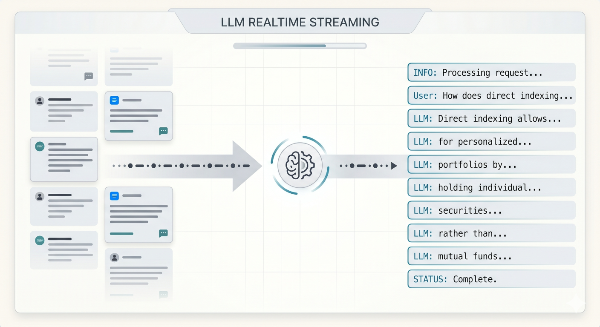
A multi-step agentic loop — where the model calls a tool, receives a result, reasons again, and calls another tool — can take five to fifteen seconds. If your UI displays nothing until the whole process is done, users bounce. Streaming solves this. Both Anthropic and OpenAI support streaming while tool calls are in flight, and adding it to your agentic loops is one of the highest-leverage improvements you can make for perceived responsiveness.
This tutorial walks through exactly how to do it: from raw stream events, to partial tool-call assembly, to forwarding chunks to a frontend via Server-Sent Events (SSE).
Prerequisites
- Node.js 20+ and TypeScript familiarity
- `@anthropic-ai/sdk` ≥ 0.24 and/or `openai` ≥ 4.38 installed
- Basic understanding of tool/function calling (covered in Beyond Prompt Chaining)
- An Express.js server or equivalent for the SSE endpoint
npm install @anthropic-ai/sdk openai
1. Understanding the Streaming + Tool Call Event Model
Before writing code, it helps to understand what actually arrives over the wire.
Anthropic streaming events
Anthropic's streaming API sends a series of Server-Sent Events. When tool use is involved, you see a distinct event sequence:
| Event type | What it carries |
|---|---|
message_start |
Message metadata, usage snapshot |
content_block_start |
Signals a new content block — type: "text" or type: "tool_use" |
content_block_delta |
Incremental chunk — text_delta for text, input_json_delta for tool input |
content_block_stop |
Block is complete |
message_delta |
Top-level stop reason, final usage |
message_stop |
Stream is done |
The critical insight: tool input arrives as partial JSON strings. You need to accumulate input_json_delta chunks and parse only after content_block_stop.
OpenAI streaming events
OpenAI's Chat Completions streaming follows a similar shape over SSE, but uses delta objects inside choices:
| Delta field | Meaning |
|---|---|
delta.content |
Partial text token |
delta.tool_calls[i].function.name |
Tool name (arrives early) |
delta.tool_calls[i].function.arguments |
Partial JSON argument string |
finish_reason: "tool_calls" |
All tool calls for this turn are ready |
The pattern is the same: accumulate argument chunks per tool call index, parse after finish_reason.
2. Streaming Tool Calls with the Anthropic SDK
The Anthropic SDK wraps the raw SSE events into a higher-level streaming helper that handles reconnection and exposes typed events.
2.1 Basic streaming with tool use
import Anthropic from "@anthropic-ai/sdk";

const client = new Anthropic({ apiKey: process.env.ANTHROPIC_API_KEY });

const tools: Anthropic.Tool[] = [
  {
    name: "get_weather",
    description: "Get current weather for a city.",
    input_schema: {
      type: "object",
      properties: {
        city: { type: "string", description: "City name" },
      },
      required: ["city"],
    },
  },
];

async function streamWithTools(userMessage: string): Promise<void> {
  const stream = client.messages.stream({
    model: "claude-opus-4-5",
    max_tokens: 1024,
    tools,
    messages: [{ role: "user", content: userMessage }],
  });

  // Text tokens arrive as they are generated
  stream.on("text", (text) => {
    process.stdout.write(text); // stream to your frontend here
  });

  // Fired when the model has fully assembled a tool call
  stream.on("inputJson", (partialJson, snapshot) => {
    // partialJson: the latest chunk; snapshot: accumulated so far
    console.log("\n[tool input delta]", partialJson);
  });

  // Await the full response to drive the agentic loop
  const message = await stream.finalMessage();

  if (message.stop_reason === "tool_use") {
    await handleToolCalls(message);
  }
}

async function handleToolCalls(
  message: Anthropic.Message
): Promise<void> {
  const toolResults: Anthropic.ToolResultBlockParam[] = [];

  for (const block of message.content) {
    if (block.type !== "tool_use") continue;

    // Execute the tool
    const result = await executeTool(block.name, block.input as Record<string, unknown>);
    toolResults.push({
      type: "tool_result",
      tool_use_id: block.id,
      content: JSON.stringify(result),
    });
  }

  // Continue the conversation with tool results — stream the next turn too
  const followUp = client.messages.stream({
    model: "claude-opus-4-5",
    max_tokens: 1024,
    tools,
    messages: [
      { role: "user", content: "What is the weather in Tokyo?" },
      { role: "assistant", content: message.content },
      { role: "user", content: toolResults },
    ],
  });

  followUp.on("text", (text) => {
    process.stdout.write(text);
  });

  await followUp.finalMessage();
}

async function executeTool(
  name: string,
  input: Record<string, unknown>
): Promise<unknown> {
  if (name === "get_weather") {
    return { city: input.city, temp: "22°C", condition: "Sunny" };
  }
  throw new Error(`Unknown tool: ${name}`);
}

streamWithTools("What is the weather like in Tokyo?");
2.2 Low-level event access
If you need finer-grained control — for example, to forward raw events to a client — use the raw stream iterator:
async function rawStreamEvents(userMessage: string): Promise<void> {
  const stream = await client.messages.create({
    model: "claude-opus-4-5",
    max_tokens: 1024,
    tools,
    messages: [{ role: "user", content: userMessage }],
    stream: true,
  });

  let currentToolInput = "";
  let currentToolName = "";
  let currentToolId = "";

  for await (const event of stream) {
    switch (event.type) {
      case "content_block_start":
        if (event.content_block.type === "tool_use") {
          currentToolName = event.content_block.name;
          currentToolId = event.content_block.id;
          currentToolInput = "";
          console.log(`\n[starting tool: ${currentToolName}]`);
        }
        break;

      case "content_block_delta":
        if (event.delta.type === "text_delta") {
          process.stdout.write(event.delta.text);
        } else if (event.delta.type === "input_json_delta") {
          currentToolInput += event.delta.partial_json;
        }
        break;

      case "content_block_stop":
        if (currentToolInput) {
          const parsed = JSON.parse(currentToolInput);
          console.log(`\n[tool ready] ${currentToolName}:`, parsed);
          currentToolInput = "";
        }
        break;

      case "message_delta":
        console.log(`\n[stop_reason: ${event.delta.stop_reason}]`);
        break;
    }
  }
}
3. Streaming Tool Calls with the OpenAI SDK
OpenAI's streaming follows a similar accumulation pattern, but uses delta-indexed tool call tracking.
import OpenAI from "openai";

const openai = new OpenAI({ apiKey: process.env.OPENAI_API_KEY });

interface ToolCallAccumulator {
  id: string;
  name: string;
  arguments: string;
}

async function streamOpenAIWithTools(userMessage: string): Promise<void> {
  const toolCallMap = new Map<number, ToolCallAccumulator>();

  const stream = await openai.chat.completions.create({
    model: "gpt-4o",
    stream: true,
    tools: [
      {
        type: "function",
        function: {
          name: "get_weather",
          description: "Get current weather for a city.",
          parameters: {
            type: "object",
            properties: {
              city: { type: "string" },
            },
            required: ["city"],
          },
        },
      },
    ],
    messages: [{ role: "user", content: userMessage }],
  });

  let finishReason: string | null = null;
  const assistantContentParts: string[] = [];

  for await (const chunk of stream) {
    const choice = chunk.choices[0];
    if (!choice) continue;

    finishReason = choice.finish_reason;
    const delta = choice.delta;

    // Stream text tokens to the client
    if (delta.content) {
      process.stdout.write(delta.content);
      assistantContentParts.push(delta.content);
    }

    // Accumulate tool call deltas by index
    if (delta.tool_calls) {
      for (const tcDelta of delta.tool_calls) {
        const idx = tcDelta.index;

        if (!toolCallMap.has(idx)) {
          toolCallMap.set(idx, { id: "", name: "", arguments: "" });
        }
        const acc = toolCallMap.get(idx)!;

        if (tcDelta.id) acc.id = tcDelta.id;
        if (tcDelta.function?.name) acc.name = tcDelta.function.name;
        if (tcDelta.function?.arguments) {
          acc.arguments += tcDelta.function.arguments;
        }
      }
    }
  }

  // All tool calls are now fully accumulated
  if (finishReason === "tool_calls") {
    const toolCalls = [...toolCallMap.values()];
    console.log("\n[tool calls ready]", toolCalls);

    const toolMessages: OpenAI.ChatCompletionMessageParam[] = toolCalls.map((tc) => ({
      role: "tool",
      tool_call_id: tc.id,
      content: JSON.stringify(
        executeTool(tc.name, JSON.parse(tc.arguments))
      ),
    }));

    // Stream the follow-up turn
    const followUp = await openai.chat.completions.create({
      model: "gpt-4o",
      stream: true,
      messages: [
        { role: "user", content: userMessage },
        {
          role: "assistant",
          content: assistantContentParts.join(""),
          tool_calls: toolCalls.map((tc) => ({
            id: tc.id,
            type: "function" as const,
            function: { name: tc.name, arguments: tc.arguments },
          })),
        },
        ...toolMessages,
      ],
    });

    for await (const chunk of followUp) {
      const text = chunk.choices[0]?.delta?.content ?? "";
      if (text) process.stdout.write(text);
    }
  }
}

function executeTool(name: string, input: Record<string, unknown>): unknown {
  if (name === "get_weather") {
    return { city: input.city, temp: "18°C", condition: "Cloudy" };
  }
  throw new Error(`Unknown tool: ${name}`);
}

streamOpenAIWithTools("What's the weather in London?");
4. Building a Full Agentic Loop with Streaming
A single-turn stream is straightforward. A multi-turn agentic loop — where the model may call multiple tools across multiple turns before producing a final answer — requires a loop that streams every turn.
import Anthropic from "@anthropic-ai/sdk";

type AgentMessage = Anthropic.MessageParam;

async function runAgenticLoop(
  userMessage: string,
  onToken: (token: string) => void,
  onToolCall: (name: string, input: unknown) => void
): Promise<string> {
  const client = new Anthropic({ apiKey: process.env.ANTHROPIC_API_KEY });
  const messages: AgentMessage[] = [
    { role: "user", content: userMessage },
  ];
  let finalText = "";
  let iterations = 0;
  const MAX_ITERATIONS = 10;

  while (iterations < MAX_ITERATIONS) {
    iterations++;
    const stream = client.messages.stream({
      model: "claude-opus-4-5",
      max_tokens: 2048,
      tools,
      messages,
    });

    // Stream text tokens to caller
    stream.on("text", (text) => {
      onToken(text);
      finalText += text;
    });

    const message = await stream.finalMessage();

    // Append assistant turn to history
    messages.push({ role: "assistant", content: message.content });

    if (message.stop_reason !== "tool_use") {
      break; // Model is done, return final response
    }

    // Execute all tool calls for this turn
    const toolResults: Anthropic.ToolResultBlockParam[] = [];
    for (const block of message.content) {
      if (block.type !== "tool_use") continue;
      onToolCall(block.name, block.input);
      const result = await executeTool(block.name, block.input as Record<string, unknown>);
      toolResults.push({
        type: "tool_result",
        tool_use_id: block.id,
        content: JSON.stringify(result),
      });
    }

    // Append tool results as next user turn
    messages.push({ role: "user", content: toolResults });
  }

  return finalText;
}
Key design decisions here:
MAX_ITERATIONSprevents runaway loops if a buggy tool always triggers another call.- Every turn is streamed — the user sees tokens from the final synthesis turn as they arrive, even after multiple tool hops.
- Tool results are appended as a
userrole message withtool_resultblocks, matching the Anthropic conversation format.
5. Forwarding the Stream to a Frontend via SSE
The real payoff is getting these tokens to your UI in real time. Express + SSE is the most portable approach and works with any frontend.
import express, { Request, Response } from "express";
import Anthropic from "@anthropic-ai/sdk";

const app = express();
app.use(express.json());

app.get("/stream", async (req: Request, res: Response) => {
  const userMessage = (req.query.q as string) ?? "Hello";

  // Set SSE headers
  res.setHeader("Content-Type", "text/event-stream");
  res.setHeader("Cache-Control", "no-cache");
  res.setHeader("Connection", "keep-alive");
  res.flushHeaders();

  const sendEvent = (event: string, data: unknown) => {
    res.write(`event: ${event}\ndata: ${JSON.stringify(data)}\n\n`);
  };

  const client = new Anthropic({ apiKey: process.env.ANTHROPIC_API_KEY });

  try {
    await runAgenticLoop(
      userMessage,
      (token) => sendEvent("token", { text: token }),
      (name, input) => sendEvent("tool_call", { name, input })
    );
    sendEvent("done", { finished: true });
  } catch (err) {
    sendEvent("error", { message: (err as Error).message });
  } finally {
    res.end();
  }
});

app.listen(3000, () => console.log("SSE server on :3000"));
On the frontend, consume with the native EventSource API:
const source = new EventSource(`/stream?q=${encodeURIComponent(userQuery)}`);
let outputBuffer = "";

source.addEventListener("token", (e) => {
  const { text } = JSON.parse(e.data);
  outputBuffer += text;
  renderMarkdown(outputBuffer); // re-render incrementally
});

source.addEventListener("tool_call", (e) => {
  const { name, input } = JSON.parse(e.data);
  showToolCallIndicator(name, input); // show spinner/badge in UI
});

source.addEventListener("done", () => {
  source.close();
  hideToolCallIndicator();
});

source.addEventListener("error", () => {
  source.close();
  showError("Stream failed. Please try again.");
});
6. Streaming Configuration and Error Reference
| Scenario | Anthropic | OpenAI | Mitigation |
|---|---|---|---|
| Stream disconnects mid-response | stream.on("error", ...) fires |
for await loop throws |
Retry with exponential backoff; track last token position |
| Tool input JSON is malformed | JSON.parse throws after content_block_stop |
JSON.parse throws after finish_reason: "tool_calls" |
Wrap parse in try/catch; return error tool result to model |
| Model loops (tool → tool endlessly) | Loop never hits end_turn |
finish_reason stays tool_calls |
Enforce MAX_ITERATIONS; surface error to user |
| Client disconnects (SSE) | req.on("close") |
Same | Call stream.controller.abort() / destroy stream |
| Token budget exceeded | stop_reason: "max_tokens" |
finish_reason: "length" |
Increase max_tokens or summarize history |
| Rate limit (429) | SDK throws RateLimitError |
SDK throws RateLimitError |
Retry after retry-after header; queue requests |
| Streaming not supported by model | Older model slugs silently fall back | Same | Always check model compatibility; use current model slugs |
What's Next
Streaming with tool calls dramatically improves the feel of your agentic system, but it's one layer of a larger production stack. A few natural next steps:
- Interrupt and resume — Allow users to cancel a running stream mid-loop, then resume from a checkpointed conversation state. Useful for long research agents.
- Structured streaming output — Combine streaming with Anthropic's structured JSON output mode to get typed, partial JSON for complex UI rendering (e.g., streaming a table row-by-row).
- Multi-agent streaming fan-out — Spawn parallel sub-agents, each streaming their own tokens, and merge the streams into a unified UI with labeled "agent lanes."
- Latency tracing — Instrument time-to-first-token (TTFT), tool execution time, and total loop time using OpenTelemetry. Add these metrics to your eval dataset from the previous post.
Further Reading
Read next
Comments (0)
Join the conversation
Sign in to leave a comment on this post.
No comments yet. to be the first!