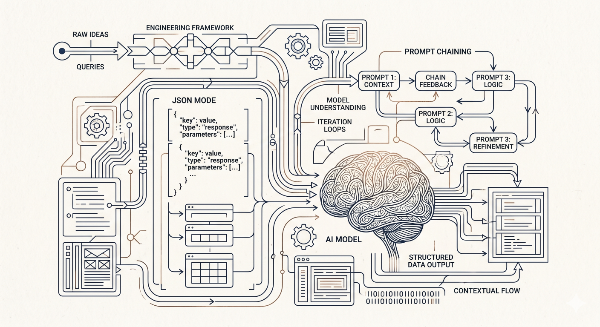
Advanced AI Prompting for Developers: JSON Mode, Prompt Chaining, RAG, and Automated Evals

D. Rout
April 26, 2026 14 min read
On this page
If you've mastered zero-shot and few-shot prompting — and if not, start with our guide Zero-Shot to Chain-of-Thought: A Developer's Guide to Writing Effective AI Prompts — it's time to go further. The gap between "impressive demo" and "production-ready LLM feature" comes down to four capabilities: enforcing structured output so your code can reliably parse model responses, chaining prompts so complex tasks compose cleanly, injecting real data through retrieval-augmented generation (RAG) so models answer from facts rather than hallucinations, and running automated evaluations so you catch regressions before your users do. This tutorial walks through all four with practical, copy-paste code samples you can drop into an Express/Node.js backend today.
Prerequisites
- Node.js 18+ and a working Express app (or any JS/TS backend)
- An Anthropic or OpenAI API key set as an environment variable (
ANTHROPIC_API_KEYorOPENAI_API_KEY) - Basic familiarity with async/await and
fetch/axios - Completed or familiar with zero-shot, few-shot, and chain-of-thought prompting concepts (see the previous post for a refresher)
- Optional: a vector database (Pinecone, Weaviate, or pgvector) for the RAG section
1. JSON Mode — Enforcing Structured Output
The single biggest source of LLM integration bugs is unpredictable output format. A model that sometimes returns {"status": "ok"} and other times returns "Everything looks good!" breaks your parser intermittently and is a nightmare to debug. JSON mode solves this.
Why JSON mode matters
When you're building an API endpoint that calls an LLM and returns structured data to a frontend, you need a guarantee — not a hope — that the model returns valid JSON. Both OpenAI and Anthropic provide mechanisms for this.
1a. OpenAI — response_format: { type: "json_object" }
// lib/llm/openaiJson.ts
import OpenAI from "openai";

const openai = new OpenAI({ apiKey: process.env.OPENAI_API_KEY });

interface ProductReview {
  sentiment: "positive" | "negative" | "neutral";
  score: number; // 0–10
  summary: string;
  topics: string[];
}

export async function analyzeReview(reviewText: string): Promise<ProductReview> {
  const response = await openai.chat.completions.create({
    model: "gpt-4o",
    response_format: { type: "json_object" }, // 🔑 forces JSON output
    messages: [
      {
        role: "system",
        content: `You are a product review analyzer. Always respond with valid JSON matching this schema:
{
  "sentiment": "positive" | "negative" | "neutral",
  "score": number between 0 and 10,
  "summary": string (one sentence),
  "topics": array of strings (key topics mentioned)
}`,
      },
      {
        role: "user",
        content: `Analyze this review: "${reviewText}"`,
      },
    ],
  });

  const raw = response.choices[0].message.content ?? "{}";
  return JSON.parse(raw) as ProductReview;
}
Important: When using
response_format: { type: "json_object" }, OpenAI requires that the word "json" appear somewhere in your system prompt. The example above satisfies this requirement.
1b. Anthropic Claude — XML-fenced JSON
Claude doesn't have a dedicated JSON mode flag (as of this writing), but it's remarkably reliable when you ask it to wrap output in a tag and parse from there:
// lib/llm/claudeJson.ts
import Anthropic from "@anthropic-ai/sdk";

const client = new Anthropic({ apiKey: process.env.ANTHROPIC_API_KEY });

export async function analyzeReviewClaude(reviewText: string) {
  const message = await client.messages.create({
    model: "claude-opus-4-5",
    max_tokens: 512,
    messages: [
      {
        role: "user",
        content: `Analyze this product review and respond ONLY with a JSON object inside <json></json> tags.

Schema:
{
  "sentiment": "positive" | "negative" | "neutral",
  "score": 0-10,
  "summary": "one sentence",
  "topics": ["array", "of", "strings"]
}

Review: "${reviewText}"`,
      },
    ],
  });

  const raw = message.content[0].type === "text" ? message.content[0].text : "";
  const match = raw.match(/<json>([\s\S]*?)<\/json>/);
  if (!match) throw new Error("Model did not return JSON in expected format");
  return JSON.parse(match[1]);
}
1c. Validate with Zod
Never trust raw model output in production. Pair JSON mode with runtime schema validation:
// lib/llm/reviewSchema.ts
import { z } from "zod";

export const ReviewSchema = z.object({
  sentiment: z.enum(["positive", "negative", "neutral"]),
  score: z.number().min(0).max(10),
  summary: z.string().min(1),
  topics: z.array(z.string()),
});

// In your route:
const parsed = ReviewSchema.safeParse(rawOutput);
if (!parsed.success) {
  console.error("Schema validation failed:", parsed.error.flatten());
  throw new Error("Invalid model output structure");
}
return parsed.data;
2. Prompt Chaining — Building Composable Pipelines
A single prompt can only do so much. Prompt chaining lets you break a complex task into discrete steps where the output of one prompt becomes the input to the next. This improves accuracy, makes debugging tractable, and lets you cache or short-circuit expensive steps.
The pattern
Input → [Prompt A] → Intermediate Output → [Prompt B] → [Prompt C] → Final Output
Example: Content moderation pipeline
// lib/pipelines/moderationPipeline.ts
import Anthropic from "@anthropic-ai/sdk";

const client = new Anthropic({ apiKey: process.env.ANTHROPIC_API_KEY });

async function callClaude(prompt: string, maxTokens = 256): Promise<string> {
  const msg = await client.messages.create({
    model: "claude-opus-4-5",
    max_tokens: maxTokens,
    messages: [{ role: "user", content: prompt }],
  });
  return msg.content[0].type === "text" ? msg.content[0].text : "";
}

// Step 1: Classify the content type
async function classifyContent(text: string): Promise<string> {
  return callClaude(`Classify the following user-submitted content into ONE of these categories:
SAFE | SPAM | HATE_SPEECH | ADULT | VIOLENCE | OFF_TOPIC

Respond with only the category label.

Content: "${text}"`);
}

// Step 2: Based on classification, decide action
async function decideAction(classification: string, text: string): Promise<string> {
  if (classification.trim() === "SAFE") return "APPROVE";

  return callClaude(`A piece of content was classified as: ${classification}

Content: "${text}"

Based on the classification, decide the appropriate action:
- APPROVE: Allow the content through
- WARN: Flag for human review
- BLOCK: Remove immediately

Respond with only: APPROVE | WARN | BLOCK`);
}

// Step 3: Generate a user-facing explanation if blocked or warned
async function generateExplanation(action: string, classification: string): Promise<string | null> {
  if (action.trim() === "APPROVE") return null;

  return callClaude(`A piece of content was ${action} due to: ${classification}

Write a brief, polite, user-facing explanation (2 sentences max) explaining why their content was not approved.
Do not mention internal classification labels.`);
}

// The composed pipeline
export async function runModerationPipeline(userContent: string) {
  const classification = await classifyContent(userContent);
  console.log(`[Step 1] Classification: ${classification}`);

  const action = await decideAction(classification, userContent);
  console.log(`[Step 2] Action: ${action}`);

  const explanation = await generateExplanation(action, classification);
  console.log(`[Step 3] Explanation: ${explanation ?? "N/A"}`);

  return { classification: classification.trim(), action: action.trim(), explanation };
}
Parallel chaining
When steps are independent, run them concurrently:
// Run multiple analysis steps in parallel, then synthesize
const [sentiment, entities, keyPoints] = await Promise.all([
  callClaude(`Extract sentiment from: "${doc}"`),
  callClaude(`Extract named entities from: "${doc}"`),
  callClaude(`Extract 3 key points from: "${doc}"`),
]);

const summary = await callClaude(`
Given this analysis of a document:
- Sentiment: ${sentiment}
- Entities: ${entities}
- Key points: ${keyPoints}

Write a 3-sentence executive summary.`);
3. RAG — Retrieval-Augmented Generation
RAG is how you give an LLM access to your data without fine-tuning. Instead of baking knowledge into the model weights, you retrieve relevant documents at query time and inject them into the prompt as context. The model then answers from that context rather than hallucinating.
The RAG architecture
User Query
    │
    ▼
[Embed Query] ──→ Vector DB ──→ Top-K Similar Chunks
                                        │
                                        ▼
                              [Inject as Context] ──→ LLM ──→ Grounded Answer
Step 3.1 — Chunk and embed your documents
// scripts/ingestDocs.ts
import { Pinecone } from "@pinecone-database/pinecone";
import OpenAI from "openai";
import fs from "fs";

const openai = new OpenAI({ apiKey: process.env.OPENAI_API_KEY });
const pinecone = new Pinecone({ apiKey: process.env.PINECONE_API_KEY! });

function chunkText(text: string, chunkSize = 500, overlap = 50): string[] {
  const words = text.split(/\s+/);
  const chunks: string[] = [];
  for (let i = 0; i < words.length; i += chunkSize - overlap) {
    chunks.push(words.slice(i, i + chunkSize).join(" "));
  }
  return chunks;
}

async function embedText(text: string): Promise<number[]> {
  const response = await openai.embeddings.create({
    model: "text-embedding-3-small",
    input: text,
  });
  return response.data[0].embedding;
}

export async function ingestDocument(filePath: string, docId: string) {
  const text = fs.readFileSync(filePath, "utf-8");
  const chunks = chunkText(text);
  const index = pinecone.index("your-index-name");

  for (let i = 0; i < chunks.length; i++) {
    const embedding = await embedText(chunks[i]);
    await index.upsert([
      {
        id: `${docId}-chunk-${i}`,
        values: embedding,
        metadata: { text: chunks[i], docId, chunkIndex: i },
      },
    ]);
    console.log(`Upserted chunk ${i + 1}/${chunks.length}`);
  }
}
Step 3.2 — Retrieve and generate
// lib/rag/ragQuery.ts
import { Pinecone } from "@pinecone-database/pinecone";
import OpenAI from "openai";
import Anthropic from "@anthropic-ai/sdk";

const openai = new OpenAI({ apiKey: process.env.OPENAI_API_KEY });
const pinecone = new Pinecone({ apiKey: process.env.PINECONE_API_KEY! });
const anthropic = new Anthropic({ apiKey: process.env.ANTHROPIC_API_KEY });

async function retrieveContext(query: string, topK = 5): Promise<string[]> {
  const queryEmbedding = await openai.embeddings.create({
    model: "text-embedding-3-small",
    input: query,
  });

  const index = pinecone.index("your-index-name");
  const results = await index.query({
    vector: queryEmbedding.data[0].embedding,
    topK,
    includeMetadata: true,
  });

  return results.matches
    .filter((m) => m.score && m.score > 0.75) // filter low-relevance chunks
    .map((m) => (m.metadata?.text as string) ?? "");
}

export async function ragAnswer(userQuery: string): Promise<string> {
  const contextChunks = await retrieveContext(userQuery);

  if (contextChunks.length === 0) {
    return "I don't have enough relevant information to answer that confidently.";
  }

  const contextBlock = contextChunks
    .map((chunk, i) => `[Source ${i + 1}]\n${chunk}`)
    .join("\n\n");

  const message = await anthropic.messages.create({
    model: "claude-opus-4-5",
    max_tokens: 1024,
    messages: [
      {
        role: "user",
        content: `You are a helpful assistant. Answer the user's question using ONLY the provided context.
If the context doesn't contain the answer, say so — do not guess or use outside knowledge.

<context>
${contextBlock}
</context>

Question: ${userQuery}`,
      },
    ],
  });

  return message.content[0].type === "text" ? message.content[0].text : "";
}
Step 3.3 — Wire it into an Express route
// routes/chat.ts
import { Router } from "express";
import { ragAnswer } from "../lib/rag/ragQuery";

const router = Router();

router.post("/chat", async (req, res) => {
  const { query } = req.body;
  if (!query || typeof query !== "string") {
    return res.status(400).json({ error: "query is required" });
  }

  try {
    const answer = await ragAnswer(query);
    res.json({ answer });
  } catch (err) {
    console.error("RAG error:", err);
    res.status(500).json({ error: "Failed to generate answer" });
  }
});

export default router;
4. Automated Evals — Testing Your Prompts Like Code
Prompts change. Models get updated. What worked last week may regress today. Automated evals are your test suite for LLM behaviour — a set of input/expected-output pairs you run before every deploy to catch regressions.
The eval framework pattern
// evals/runner.ts
interface EvalCase {
  id: string;
  input: string;
  expectedOutput?: string; // for exact or fuzzy match
  expectedSchema?: object; // for JSON output evals
  evaluator: "exact" | "contains" | "schema" | "llm-judge";
}

interface EvalResult {
  id: string;
  passed: boolean;
  actualOutput: string;
  score?: number;
  reason?: string;
}
Step 4.1 — Exact and contains evaluators
// evals/evaluators.ts
export function exactMatch(actual: string, expected: string): boolean {
  return actual.trim().toLowerCase() === expected.trim().toLowerCase();
}

export function containsMatch(actual: string, expected: string): boolean {
  return actual.toLowerCase().includes(expected.toLowerCase());
}

export function schemaMatch(actual: string, schema: object): boolean {
  try {
    const parsed = JSON.parse(actual);
    // Use Zod or ajv for real schema validation
    return typeof parsed === "object" && parsed !== null;
  } catch {
    return false;
  }
}
Step 4.2 — LLM-as-judge evaluator
For tasks where correctness is nuanced (summaries, tone, factual accuracy), use a second LLM call to grade the output:
// evals/llmJudge.ts
import Anthropic from "@anthropic-ai/sdk";

const client = new Anthropic({ apiKey: process.env.ANTHROPIC_API_KEY });

export async function llmJudge(
  input: string,
  actualOutput: string,
  gradingCriteria: string
): Promise<{ score: number; reason: string }> {
  const response = await client.messages.create({
    model: "claude-opus-4-5",
    max_tokens: 256,
    messages: [
      {
        role: "user",
        content: `You are an AI output evaluator. Grade the following response based on the criteria.

Input: "${input}"
Response to grade: "${actualOutput}"
Grading criteria: ${gradingCriteria}

Respond with JSON only:
{
  "score": number from 0 to 10,
  "reason": "one sentence explanation"
}`,
      },
    ],
  });

  const raw = response.content[0].type === "text" ? response.content[0].text : "{}";
  return JSON.parse(raw);
}
Step 4.3 — Run the full eval suite
// evals/suite.ts
import { analyzeReview } from "../lib/llm/openaiJson";
import { ragAnswer } from "../lib/rag/ragQuery";
import { llmJudge } from "./llmJudge";
import { containsMatch } from "./evaluators";

const evalCases = [
  {
    id: "review-sentiment-positive",
    fn: () => analyzeReview("This product exceeded my expectations. Absolutely love it!"),
    check: (result: any) => result.sentiment === "positive" && result.score >= 7,
  },
  {
    id: "review-sentiment-negative",
    fn: () => analyzeReview("Broke after two days. Complete waste of money."),
    check: (result: any) => result.sentiment === "negative" && result.score <= 3,
  },
  {
    id: "rag-known-fact",
    fn: () => ragAnswer("What is our refund policy?"),
    check: async (result: string) => {
      const { score } = await llmJudge(
        "What is our refund policy?",
        result,
        "The answer should mention a refund policy and not make up details. Score 8+ if grounded, 3 or below if hallucinated."
      );
      return score >= 7;
    },
  },
];

async function runEvals() {
  let passed = 0;
  const results: { id: string; passed: boolean }[] = [];

  for (const ec of evalCases) {
    try {
      const output = await ec.fn();
      const ok = await ec.check(output);
      results.push({ id: ec.id, passed: ok });
      if (ok) passed++;
      console.log(`${ok ? "✅" : "❌"} ${ec.id}`);
    } catch (err) {
      results.push({ id: ec.id, passed: false });
      console.log(`❌ ${ec.id} — threw error: ${err}`);
    }
  }

  console.log(`\nResults: ${passed}/${evalCases.length} passed`);
  if (passed < evalCases.length) process.exit(1); // fail CI
}

runEvals();
Add this to your CI pipeline:
# .github/workflows/llm-evals.yml
name: LLM Eval Suite
on: [pull_request]
jobs:
  evals:
    runs-on: ubuntu-latest
    steps:
      - uses: actions/checkout@v4
      - uses: actions/setup-node@v4
        with:
          node-version: "20"
      - run: npm ci
      - run: npx ts-node evals/suite.ts
        env:
          ANTHROPIC_API_KEY: ${{ secrets.ANTHROPIC_API_KEY }}
          OPENAI_API_KEY: ${{ secrets.OPENAI_API_KEY }}
          PINECONE_API_KEY: ${{ secrets.PINECONE_API_KEY }}
Reference: Technique Comparison
| Technique | Best For | Latency Impact | Cost Impact | Key Risk |
|---|---|---|---|---|
| JSON Mode | Structured data extraction, API integrations | Minimal | Minimal | Schema drift — validate with Zod |
| Prompt Chaining (sequential) | Multi-step reasoning, conditional logic | Additive (N × latency) | Additive (N × tokens) | Error propagation between steps |
| Prompt Chaining (parallel) | Independent sub-tasks | Same as slowest step | Additive | Race conditions, context isolation |
| RAG | Knowledge-grounded Q&A, large document sets | +100–300ms for retrieval | +tokens for context | Retrieval quality, chunk size tuning |
| LLM-as-judge evals | Nuanced quality grading | N/A (offline) | Per eval run | Judge bias, inconsistent grading |
| Automated evals in CI | Regression prevention | N/A (CI gate) | Per CI run | Flaky tests, high API cost at scale |
What's Next
Structured output with tool/function calling — Both OpenAI and Anthropic support function calling as an alternative to JSON mode, with typed parameter schemas that are even stricter than a prompt-defined schema. Worth exploring for complex structured extraction tasks.
Semantic caching for RAG — Store embeddings of recent queries and return cached answers when a new query is semantically similar (cosine similarity > 0.95). This dramatically cuts latency and cost on repeated queries.
Multi-agent orchestration — Take prompt chaining further with agent frameworks (LangGraph, CrewAI, or a custom orchestrator) where each "step" is an autonomous agent with its own tool access and memory.
Eval datasets and regression tracking — Move from one-off eval scripts to a structured eval dataset (stored in your DB) with historical pass/fail tracking, so you can visualise prompt quality over time as models and prompts evolve.
Further Reading
- Anthropic Prompt Engineering Overview — The official guide covering prompt structure, system prompts, and best practices for Claude.
- OpenAI Structured Outputs Guide — Deep dive into JSON mode and function calling for guaranteed structured responses.
- Pinecone: Retrieval-Augmented Generation Explained — Comprehensive RAG primer with architecture diagrams and implementation patterns.
- LangChain JS Documentation — The most widely used library for prompt chaining and agent orchestration in JavaScript/TypeScript.
- Prompting Guide — RAG Techniques — Community-maintained reference covering RAG variants including self-RAG and corrective RAG.
- Your AI Product Needs Evals — Hamel Husain — Arguably the best practical essay on why and how to build LLM evaluation pipelines, with real-world examples.
Read next
Comments (0)
Join the conversation
Sign in to leave a comment on this post.
No comments yet. to be the first!