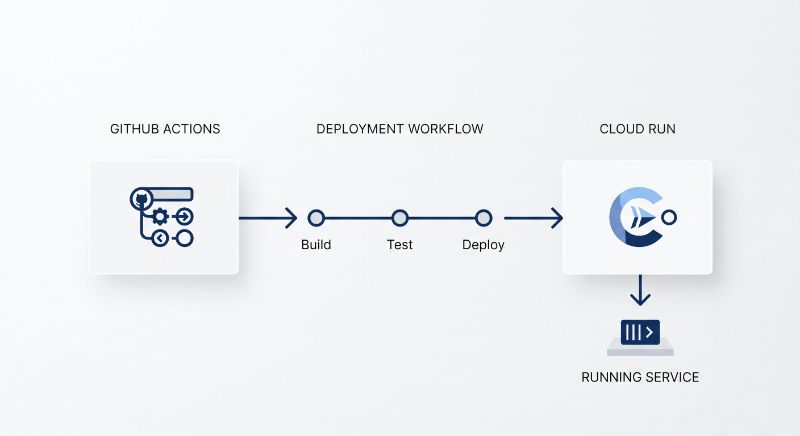
GitHub Actions to Cloud Run: Keyless Deploys, PR Previews & Rollbacks

D. Rout
September 25, 2026 13 min read
On this page
Most "deploy to Cloud Run from GitHub Actions" guides stop at gcloud run deploy with a service-account key pasted into GitHub Secrets. That works right up until the key leaks, a bad build takes 100% of traffic, or someone asks "can I see this PR running somewhere?" This tutorial builds the pipeline I actually want in production: no stored credentials at all, every revision smoke-tested at its own URL before it gets traffic, a preview URL for every pull request, and a rollback button. The complete, working project is on GitHub at github-actions-cloud-run-pipeline.
If you're new to workflows, jobs and triggers, start with GitHub Actions: Automate Everything From Day One. This post assumes those basics and goes deep on the Google Cloud side, which is where most of the real-world failures happen.
What we're building
Three workflows around one small Express + TypeScript service:
| Workflow | Trigger | What it does |
|---|---|---|
deploy.yml |
push to main |
test → build image → deploy revision at 0% traffic → smoke test its tag URL → promote to 100% |
preview.yml |
pull request | deploy a pr-<number> tagged revision (0% traffic), comment the URL on the PR, remove the tag when the PR closes |
rollback.yml |
manual | route 100% of traffic to any revision you name |
The GitHub repo stores zero secrets. GitHub mints a short-lived OIDC token per job, and Google's Security Token Service exchanges it for a short-lived credential. Everything the workflows need (project ID, region, provider path) goes in plain repository variables.
Prerequisites
- A Google Cloud project with billing enabled, plus the
gcloudCLI logged in as an Owner (needed only for the one-time setup) - A GitHub repository you control
- Node.js 22+ locally
- Working knowledge of Docker images and multi-stage builds. If you need a refresher, Docker: A Practical Guide for Developers covers everything used here.
Step 1: Build a service that behaves well on Cloud Run
Cloud Run's container runtime contract asks three things of your process. It must listen on the port in $PORT. It must be built for linux/amd64. And it must handle SIGTERM, because Cloud Run sends SIGTERM and then SIGKILLs 10 seconds later whenever it retires an instance. The sample app is a minimal Express API in the style of Developing a REST API with Express.js and TypeScript, with a /healthz route, a /version route and graceful shutdown:
// src/server.ts
import { createApp } from './app';

const port = Number(process.env.PORT ?? 8080); // never hard-code
const server = createApp().listen(port);

function shutdown(signal: string) {
  console.log(JSON.stringify({ severity: 'INFO', message: `${signal} received, draining` }));
  server.close(() => process.exit(0));          // finish in-flight requests
  setTimeout(() => process.exit(1), 8000).unref(); // stay inside the 10s window
}
process.on('SIGTERM', () => shutdown('SIGTERM'));
/version returns GIT_SHA, which the pipeline sets at deploy time. The smoke test uses it to prove a revision is running the commit we just built, not merely that something is up.
The gotcha I measured: npm start swallows SIGTERM
Graceful shutdown code does nothing if the signal never reaches Node. I benchmarked four common entrypoints with scripts/bench-startup.mjs (in the repo). It measures spawn-to-first-200 on /healthz, sends SIGTERM to the top-level process, and checks whether the app logged "draining". Setup: 20 runs each on a 2 vCPU Linux VM, Node 22.22.2, npm 10.9.7.
| Entrypoint | Median startup | p90 | Graceful SIGTERM |
|---|---|---|---|
CMD ["node", "dist/server.js"] |
134 ms | 157 ms | 20/20 |
CMD node dist/server.js (shell form → sh -c) |
119 ms | 138 ms | 0/20 |
CMD ["npm", "start"] |
262 ms | 362 ms | 0/20 |
npx tsx src/server.ts |
709 ms | 745 ms | 0/20 |
Two findings. First, npm start roughly doubles time-to-ready, and that lands directly on cold-start latency. Second, and worse, only the exec-form node entrypoint shut down gracefully. With npm start, npm received the signal, and the Node child kept running as an orphan. The benchmark harness actually filled up with stray servers until I added process-group cleanup. On Cloud Run that means every scale-in or revision swap hard-kills requests in flight. Plain shell form started fast but also never delivered the signal. (These are local numbers. Absolute Cloud Run timings will differ, but the ratios and the signal behaviour are the point.)
Opinionated rule: exec form, node as PID 1, compiled JavaScript. No npm, no shell, no TypeScript runner in production.
Step 2: Write a Dockerfile for CI, not just for your laptop
FROM node:22-slim AS build
WORKDIR /app
COPY package.json package-lock.json ./
RUN npm ci
COPY tsconfig.json ./
COPY src ./src
RUN npm run build

FROM node:22-slim AS deps
WORKDIR /app
COPY package.json package-lock.json ./
RUN npm ci --omit=dev && npm cache clean --force

FROM node:22-slim
WORKDIR /app
ENV NODE_ENV=production
COPY --from=deps /app/node_modules ./node_modules
COPY --from=build /app/dist ./dist
USER node
CMD ["node", "dist/server.js"]
The separate deps stage matters more than it looks. For this app, node_modules is 31 MB with dev dependencies and 4.5 MB without, a 7× difference. Most of that is the TypeScript compiler (23 MB), which has no business in a runtime image. Keep lockfile-only COPY lines above the source copy so the npm ci layers stay cached between commits.
Also add gha-creds-*.json to .dockerignore and .gitignore. The auth action writes a credentials file into the workspace, and COPY . . will happily bake it into your image.
Step 3: One-time GCP setup with Workload Identity Federation
This is the step that replaces the JSON key. Run infra/setup-gcp.sh from the repo, or follow the core commands:
# Pool + GitHub OIDC provider, locked to ONE repository
gcloud iam workload-identity-pools create github --location=global

gcloud iam workload-identity-pools providers create-oidc github-oidc \
  --location=global --workload-identity-pool=github \
  --issuer-uri="https://token.actions.githubusercontent.com" \
  --attribute-mapping="google.subject=assertion.sub,attribute.repository=assertion.repository" \
  --attribute-condition="assertion.repository == 'deepakrout/github-actions-cloud-run-pipeline'"

# Only workflows from that repo may impersonate the deployer SA
gcloud iam service-accounts add-iam-policy-binding \
  gha-deployer@$PROJECT_ID.iam.gserviceaccount.com \
  --role=roles/iam.workloadIdentityUser \
  --member="principalSet://iam.googleapis.com/projects/$PROJECT_NUMBER/locations/global/workloadIdentityPools/github/attribute.repository/deepakrout/github-actions-cloud-run-pipeline"
The script also creates two service accounts, deliberately kept apart:
gha-deployeris what CI impersonates. It getsroles/run.admin,roles/artifactregistry.writeron the one Docker repo, androles/iam.serviceAccountUseron the runtime SA only.hello-pipeline-runtimeis what the container runs as, and it starts with no roles. If you skip--service-accounton deploy, Cloud Run falls back to the Compute Engine default SA. That SA is often a project Editor, and your deployer then needsactAson it too.
WIF: impersonation or direct access?
The google-github-actions/auth action supports three auth modes. Here's how they compare for Cloud Run specifically:
| SA key JSON | Direct WIF (no SA) | WIF + SA impersonation | |
|---|---|---|---|
| Long-lived secret stored in GitHub | Yes, never expires by default | No | No |
| Can mint ID tokens (call private services) | Yes | No | Yes |
| Can mint OAuth access tokens | Yes | No | Yes |
| Blast radius if repo is compromised | Everything the key can do, forever | That repo's grants, per job | That repo's grants, per job |
| Setup effort | Lowest | Medium | Medium |
| My pick for Cloud Run | Never | Public services, simple cases | Default |
The row that decides it is ID tokens. The auth action's docs state plainly that generating access or ID tokens requires a service account email. The first time you smoke-test a private Cloud Run service (--no-allow-unauthenticated), you need an ID token for the tag URL, and direct WIF can't mint one. Starting with impersonation saves you a migration later.
Step 4: The deploy workflow (stage, smoke test, promote)
Set the seven variables the setup script prints (GCP_PROJECT_ID, GCP_REGION, GAR_REPOSITORY, CLOUD_RUN_SERVICE, GCP_WIF_PROVIDER, GCP_DEPLOYER_SA, GCP_RUNTIME_SA) under Settings → Secrets and variables → Actions → Variables. Then the heart of deploy.yml:
concurrency:
  group: deploy-production
  cancel-in-progress: false      # never kill a deploy halfway through a traffic shift

jobs:
  deploy:
    needs: test
    environment: production
    permissions:
      contents: read
      id-token: write            # without this: "Unable to get ACTIONS_ID_TOKEN_REQUEST_URL"
    steps:
      - uses: actions/checkout@v7          # must come BEFORE auth
      - uses: google-github-actions/auth@v3
        with:
          workload_identity_provider: ${{ vars.GCP_WIF_PROVIDER }}
          service_account: ${{ vars.GCP_DEPLOYER_SA }}
      - uses: google-github-actions/setup-gcloud@v3
      - run: gcloud auth configure-docker "${REGION}-docker.pkg.dev" --quiet
      - uses: docker/setup-buildx-action@v4
      - uses: docker/build-push-action@v7
        with:
          push: true
          platforms: linux/amd64   # an arm64 image from a Mac fails to start on Cloud Run
          tags: ${{ env.IMAGE }}:${{ github.sha }}
          cache-from: type=gha
          cache-to: type=gha,mode=max
Tag images with the full commit SHA, never :latest. That makes every revision traceable and makes rollback a traffic change instead of a rebuild.
The deploy step handles a gotcha that breaks most "blue/green on Cloud Run" examples. --no-traffic is rejected when the service doesn't exist yet, so the very first run of a naive pipeline fails:
TAG="sha-${GITHUB_SHA::7}"
if gcloud run services describe "$SERVICE" --region "$REGION" >/dev/null 2>&1; then
  gcloud run deploy "$SERVICE" "${COMMON_FLAGS[@]}" --no-traffic --tag "$TAG"
else
  gcloud run deploy "$SERVICE" "${COMMON_FLAGS[@]}" --tag "$TAG"   # first deploy
fi

REVISION=$(gcloud run services describe "$SERVICE" --region "$REGION" \
  --format='value(status.latestCreatedRevisionName)')
TAG_URL=$(gcloud run services describe "$SERVICE" --region "$REGION" --format=json \
  | jq -r --arg t "$TAG" '.status.traffic[] | select(.tag==$t) | .url')
A tagged revision gets its own URL (https://sha-abc1234---hello-pipeline-….run.app) while serving zero production traffic. The smoke test hits that URL and checks both health and identity:
curl -fsS "${TAG_URL}/healthz" >/dev/null
ACTUAL_SHA=$(curl -fsS "${TAG_URL}/version" | jq -r .commit)
[ "$ACTUAL_SHA" = "$GITHUB_SHA" ] || { echo "::error::wrong revision"; exit 1; }
Only if that passes does the workflow promote, by revision name, explicitly:
gcloud run services update-traffic "$SERVICE" --region "$REGION" \
  --to-revisions "${REVISION}=100"
gcloud run services update-traffic "$SERVICE" --region "$REGION" \
  --remove-tags "$TAG"
I pin to the revision name rather than --to-latest on purpose. With PR previews creating revisions in parallel, "latest" is not necessarily the commit you just tested. If the smoke test fails, the job stops, and production never sees the bad revision.
Step 5: Preview URLs for every pull request
The preview workflow reuses the same trick with a stable tag per PR:
on:
  pull_request:
    types: [opened, synchronize, reopened, closed]

jobs:
  preview:
    if: >-
      github.event.action != 'closed' &&
      github.event.pull_request.head.repo.full_name == github.repository
    permissions:
      contents: read
      id-token: write
      pull-requests: write
    steps:
      # ...auth, build, push as above...
      - run: |
          gcloud run deploy "$SERVICE" --image "$IMAGE:$TAG-$SHA" \
            --region "$REGION" --no-traffic --tag "pr-${{ github.event.pull_request.number }}" --quiet
      - env: { GH_TOKEN: "${{ github.token }}" }
        run: |
          gh pr comment "$PR" --edit-last --create-if-none \
            --body "🚀 Preview for \`$SHA\`: $URL"
Three details make this production-safe:
--edit-last --create-if-noneupdates a single comment instead of adding a new one on every push.- The fork guard (
head.repo.full_name == github.repository). Fork PRs don't get an OIDC token onpull_request, so without the guard those runs fail noisily. Don't "fix" this withpull_request_target. That runs untrusted fork code with your cloud credentials, andactions/checkoutv7 (with backports to older majors enforced since July 20, 2026) now refuses the common unsafe checkout patterns in exactly that setup. - A
closedjob that runs--remove-tags pr-<n>. Without it, abandoned previews keep their public URLs indefinitely.
One caveat to be honest about: with --allow-unauthenticated, preview tag URLs are publicly reachable by anyone who has the link. For internal services, deploy without it and have the smoke test use an ID token from the impersonated SA.
Step 6: Rollback in one click
Because every image is immutable and every revision is kept, rollback is just a traffic change:
on:
  workflow_dispatch:
    inputs:
      revision:
        description: "Revision to route 100% traffic to"
        required: true
# ...
- run: |
    gcloud run revisions describe "$TARGET" --region "$REGION" --format='value(metadata.name)'
    gcloud run services update-traffic "$SERVICE" --region "$REGION" --to-revisions "${TARGET}=100"
It shares the deploy-production concurrency group, so a rollback can't race a deploy. I made the revision input required rather than auto-picking "the previous one". Once PR previews exist, the revision created just before the current one is often a preview, not the last good production build. Auto-rollback to an unreviewed PR is a worse incident than the one you're fixing.
Troubleshooting reference
The errors you're most likely to hit with this setup, what causes them, and the fix:
| Error message (abridged) | Cause | Fix |
|---|---|---|
Unable to get ACTIONS_ID_TOKEN_REQUEST_URL |
No id-token: write, or fork PR |
Add the permission at job level; guard fork PRs |
The given credential is rejected by the attribute condition |
Condition doesn't match owner/repo exactly (case, renamed repo) |
Update --attribute-condition on the provider |
Permission 'iam.serviceAccounts.getAccessToken' denied |
principalSet lacks workloadIdentityUser on the deployer SA |
Re-run the binding with the project number, not ID |
Permission "artifactregistry.repositories.uploadArtifacts" denied |
Missing artifactregistry.writer, or configure-docker region ≠ image host |
Grant on the repo; match REGION-docker.pkg.dev |
Permission 'iam.serviceaccounts.actAs' denied |
Deployer can't act as the runtime SA | Grant serviceAccountUser on the runtime SA |
--no-traffic not supported when creating a new service |
First deploy with --no-traffic |
Detect a missing service and deploy normally once |
Setting IAM policy failed on --allow-unauthenticated |
Deployer has run.developer, or org policy blocks allUsers |
Use run.admin, or grant invoker separately |
container failed to start and listen on the port defined by the PORT |
Hard-coded port, crash on boot, or arm64 image | Read $PORT; set platforms: linux/amd64; check logs |
What's next
- Gradual rollouts: replace the single
=100promotion with 10% → 50% → 100% steps, and gate each on error-rate metrics from Cloud Monitoring. - Private services: switch to
--no-allow-unauthenticated, mint an ID token withtoken_format: id_tokenin the auth step, and pass it to the smoke test. - Deploy an SSR frontend the same way: an Angular SSR server is just another Node container, so the app from Build a Hybrid-Rendered Angular App: SSR, SSG & Hydration drops straight into this pipeline.
- Image hygiene: add an Artifact Registry cleanup policy so SHA-tagged images and PR images don't pile up. If you outgrow Cloud Run, see how the same concepts map onto Kubernetes.
Further reading
- google-github-actions/auth: auth modes, inputs and the direct-WIF limitations
- Configure Workload Identity Federation with deployment pipelines (Google Cloud)
- Rollbacks, gradual rollouts, and traffic migration (Cloud Run)
- Cloud Run container runtime contract: PORT, SIGTERM, architecture
- OpenID Connect in GitHub Actions (GitHub Docs)
- Cache management with GitHub Actions (Docker Docs)
Wrapping up
You now have a Cloud Run pipeline with no secrets to rotate, no untested revision ever taking traffic, a live URL for every PR, and a rollback that takes seconds. The most valuable part is the smallest: making sure SIGTERM actually reaches your process, so all of that zero-downtime machinery doesn't end in a hard kill. Clone the full project, including the setup script, all three workflows and the startup benchmark, from github-actions-cloud-run-pipeline. Run node scripts/bench-startup.mjs against your own service, and if your numbers differ, open an issue. I'd like to collect results across setups.
Read next
Comments (0)
Join the conversation
Sign in to leave a comment on this post.
No comments yet. to be the first!